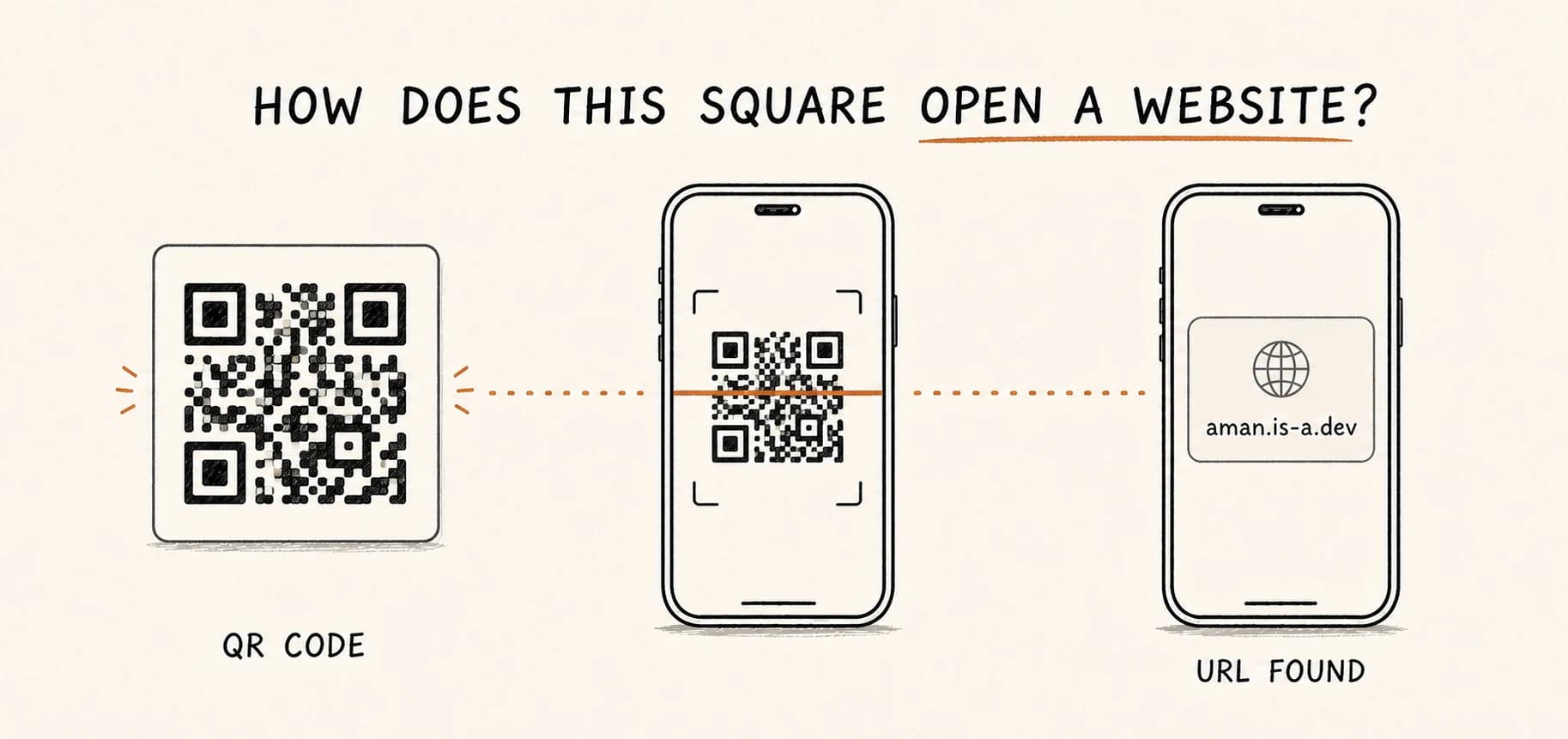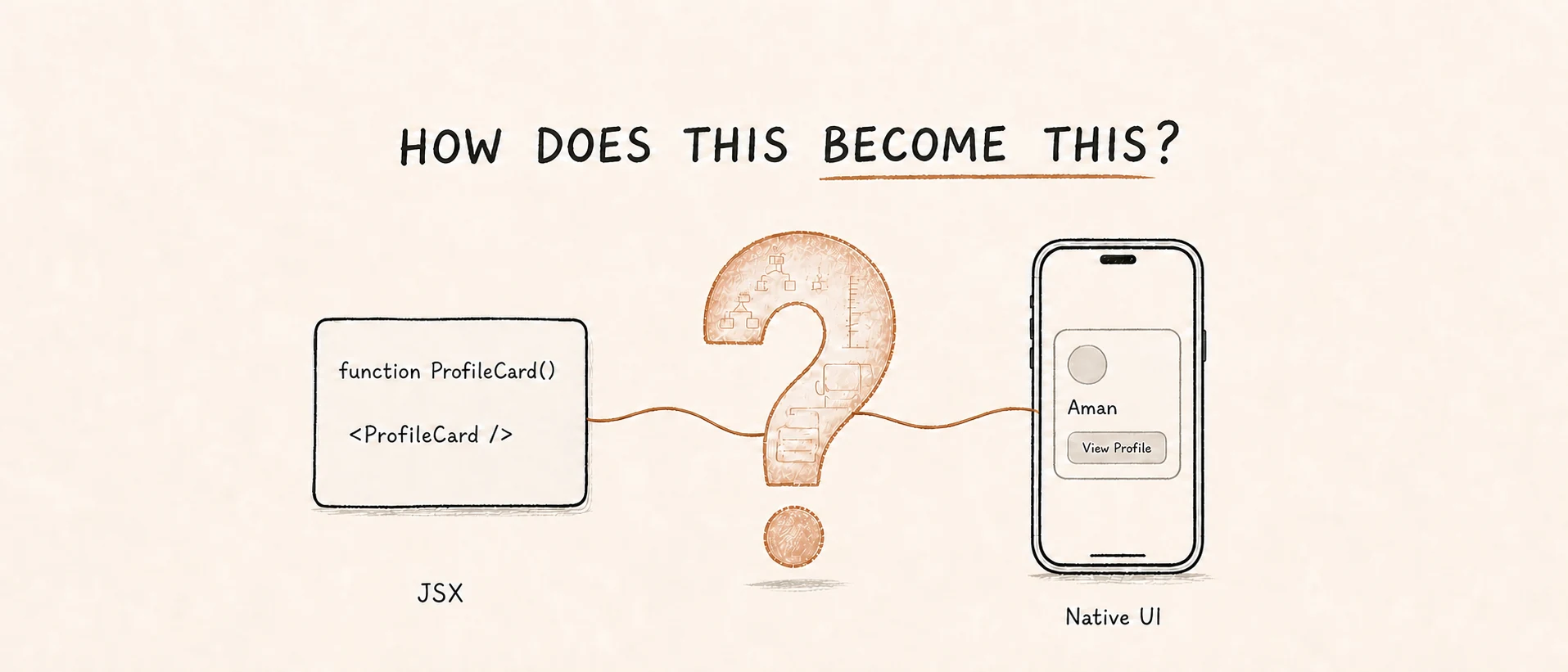
A React Native component begins as a JavaScript function and ends as pixels on a screen. Between those points, React reduces components, a renderer builds an in-memory plan, layout is calculated, and the UI thread applies changes to real platform views. Let’s trace that journey without skipping the important boundaries—and give the pieces their proper names along the way.
function ProfileCard() {
  return (
    <View style={{ padding: 16 }}>
      <Text>Hello, Aman</Text>
    </View>
  );
}
This function does not draw anything. It returns a description of the UI React should build. No native view exists yet, and there will never be a native ProfileCard object.
JSX creates descriptions, not views
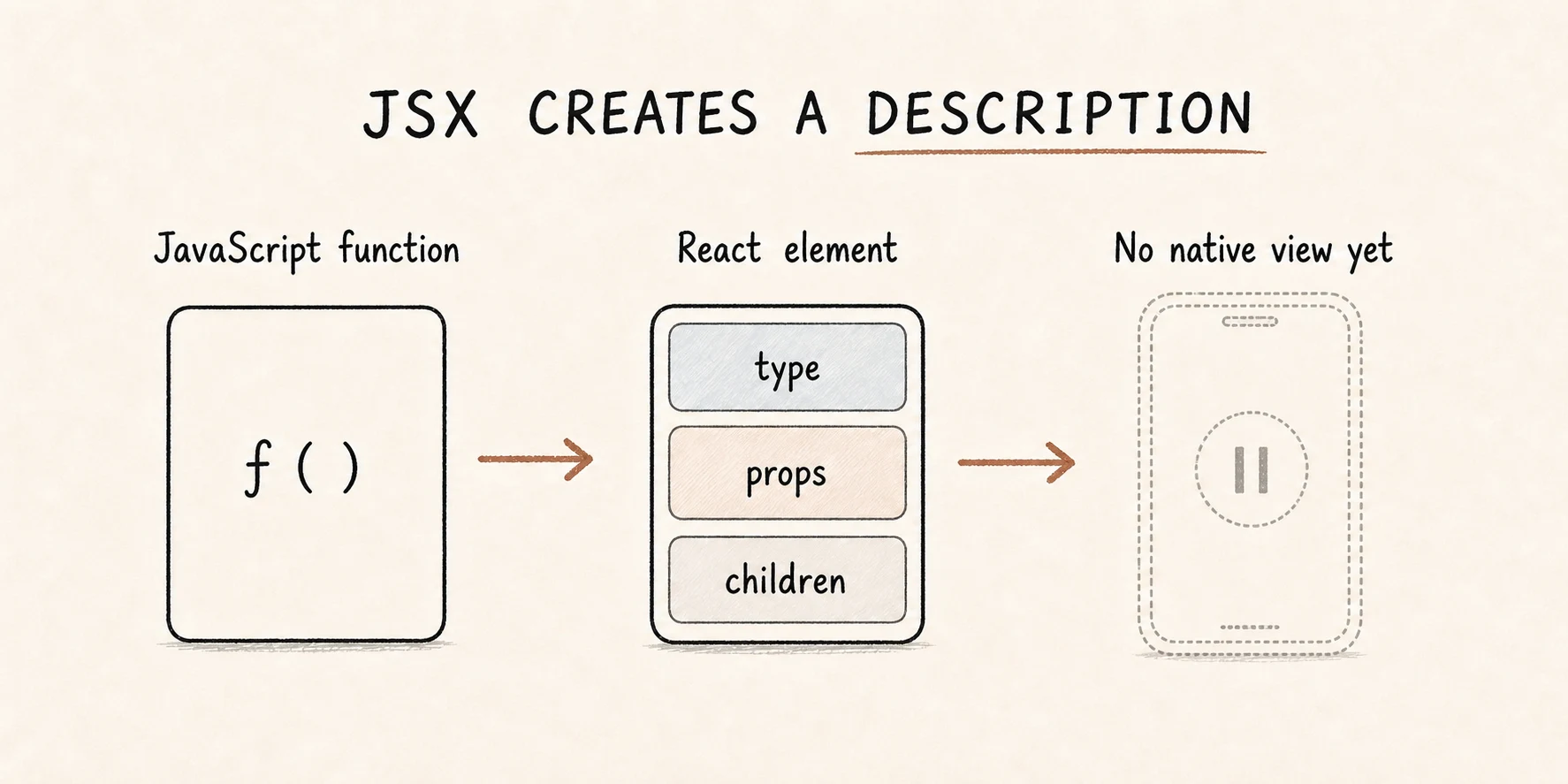 JSX creates a description of the UI—not a view
JSX creates React elements: lightweight JavaScript objects that describe what should appear. A useful approximation of the result from ProfileCard looks like this:
{
  type: View,
  props: {
    style: { padding: 16 },
    children: {
      type: Text,
      props: { children: "Hello, Aman" }
    }
  }
}
The real objects contain React’s internal fields too, but this simplified shape carries the important parts: a type, its props, and its children. It is a plan for UI, not UI itself.
React now has to work out what each type means. When it reaches ProfileCard, React can call the function and inspect what it returns. That process continues until React reaches components that the React Native renderer knows how to handle directly.
Composite components and host components have different jobs
React Native components fall into two useful categories for understanding rendering.
A composite component is a component you define, such as ProfileCard, Card, or Screen. React executes it to discover more elements underneath it. A composite component can own hooks, state, context, and effects, but it does not directly receive a native view.
A host component is provided by the platform renderer. In React Native, familiar examples include View, Text, and TextInput. React stops reducing at these types and hands them to the renderer.
Our example can therefore be reduced like this:
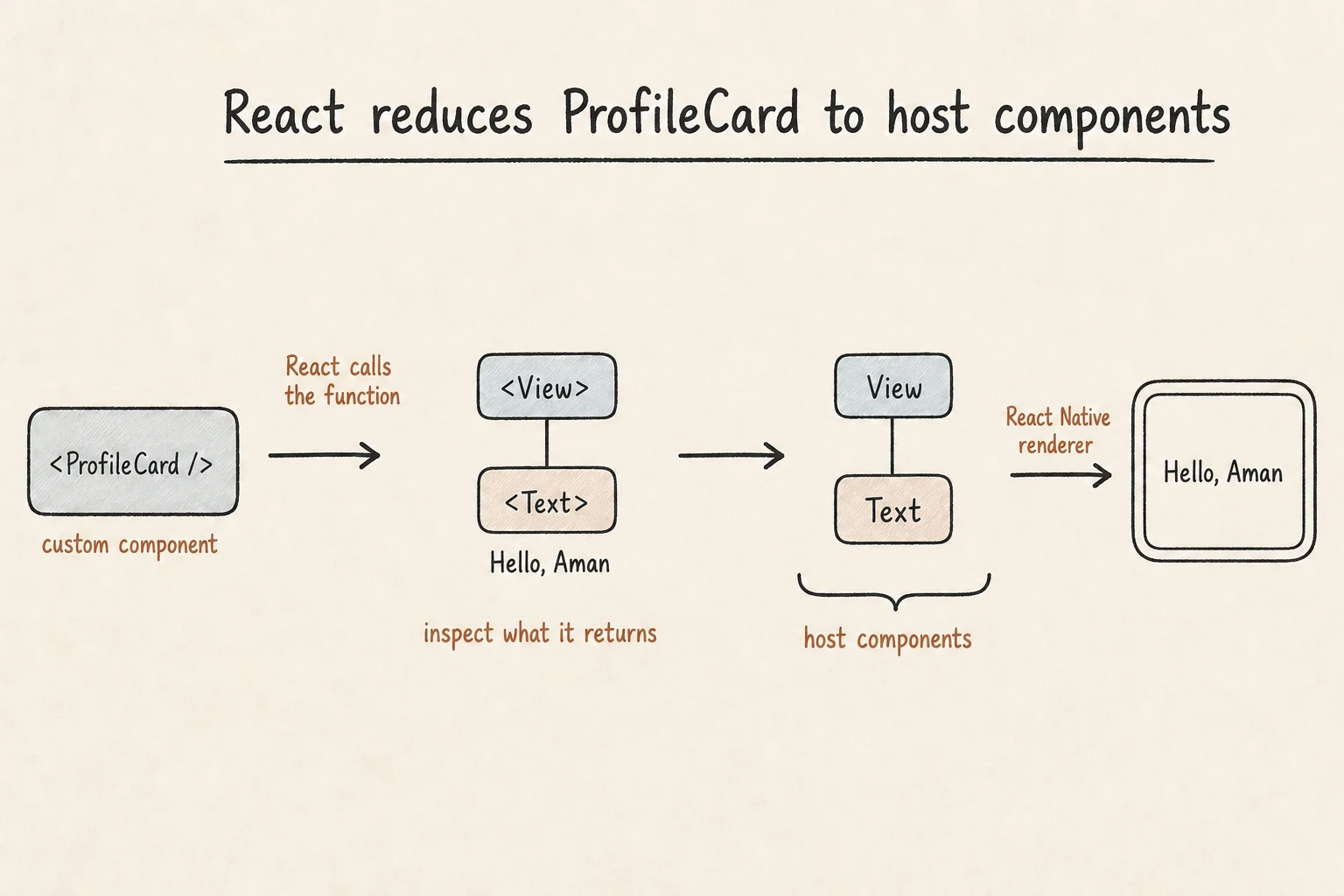 Composite layers reduce away; only host components survive
There is a View and a Text in the host-only result, but no ProfileCard. That does not mean ProfileCard disappears from React. React’s internal Fiber structure still tracks the component so it can manage its state, hooks, and future renders. It is absent only from Fabric’s host-component tree.
This distinction gives us a reliable rule:
- Expand every composite component by looking at what it returns.
- Keep expanding until you reach host components.
- Remove the composite layers from the host-only picture.
- Connect every surviving host component to its nearest surviving host parent.
For example, Screen → Card → View → Title → Text becomes View → Text when we draw only the host components.
There is more than one tree
Renderer explanations get confusing when every in-memory structure is called “the tree.” The same screen has several representations, and each one solves a different problem.
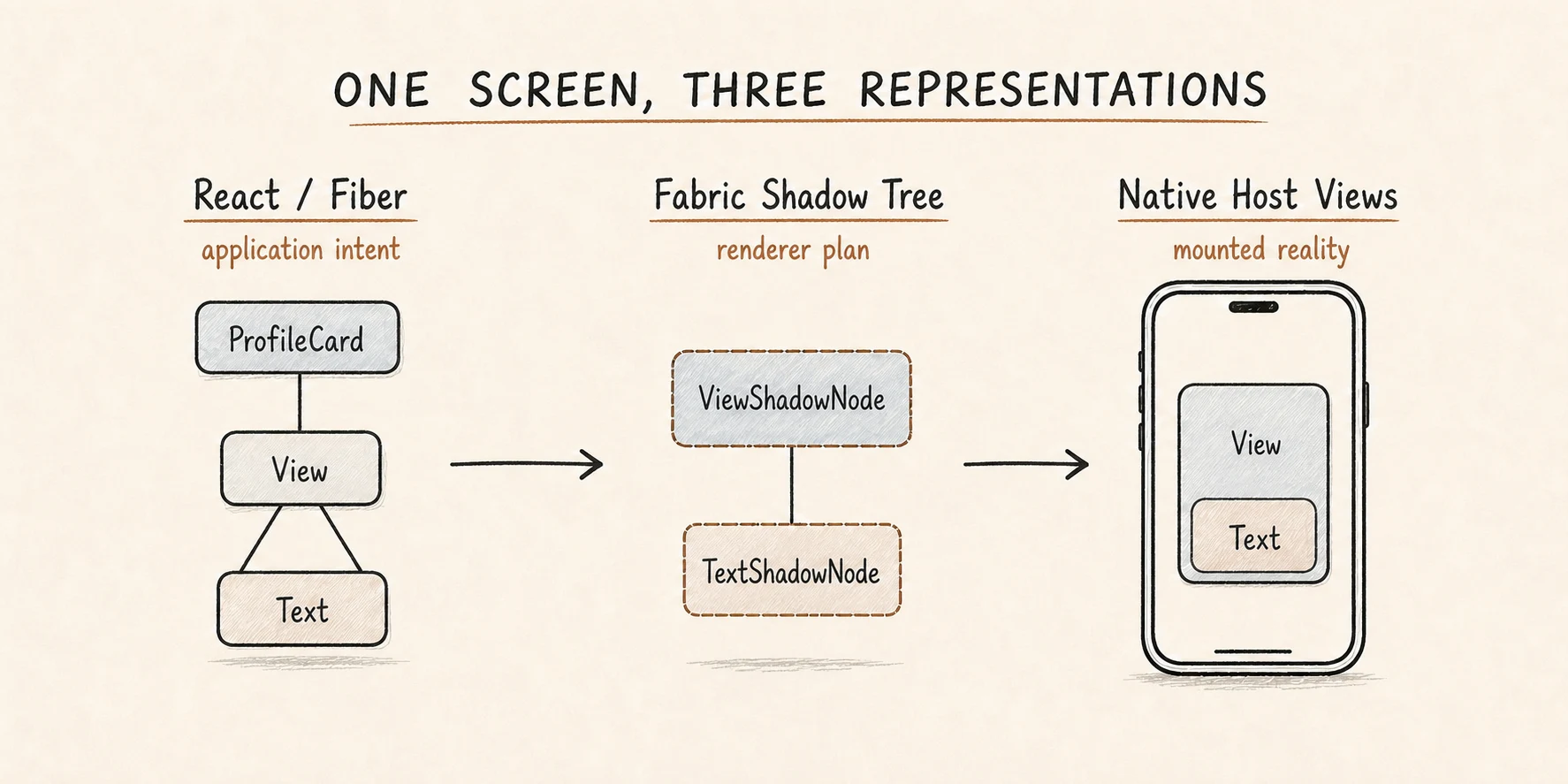 One screen, three representations: elements, Shadow Tree, host views
The first representation expresses application intent. The second is the renderer’s plan. The third is the mounted reality the user can see and interact with.
This is why calling the Shadow Tree “the Virtual DOM” hides an important boundary. React elements and Fibers belong to React’s work. Shadow Nodes belong to Fabric’s C++ renderer. Host views belong to Android, iOS, or another host platform.
Fabric builds a host-only plan
Fabric is React Native’s renderer for the New Architecture. Its shared C++ core sits between React and the platform-specific mounting layer. Through JSI—the JavaScript Interface—React and Fabric can communicate without serializing every interaction through the legacy JSON Bridge.
As React reduces the element tree, Fabric creates a C++ Shadow Node for each host component. In our example, View produces a ViewShadowNode and Text produces a TextShadowNode. No ProfileCardShadowNode is created because ProfileCard is composite.
The resulting Shadow Tree is:
ViewShadowNode
└─ TextShadowNode "Hello, Aman"
A Shadow Node is not a native view. It is an immutable, versioned description containing the information the renderer needs, including:
- component identity
- props and styles
- child Shadow Nodes
- event-emitter connections
- optional renderer-controlled state
- calculated layout information
“Immutable” matters here. Fabric does not partially rewrite the mounted interface while React is still deciding what the next screen should be. It can construct a complete candidate tree, calculate its layout, compare it with the previous tree, and then apply a precise batch of changes.
The initial render: from component to pixels
React Native’s official model groups the work into three broad phases: render, commit, and mount. Expanding those phases gives us five concrete steps.
1. React executes the component
React calls ProfileCard and recursively reduces composite components until it reaches View and Text. At this point the JavaScript side has described the host-component hierarchy the renderer needs.
2. Fabric creates Shadow Nodes
During the render phase, Fabric synchronously creates corresponding C++ Shadow Nodes for those host components and connects them using the same surviving parent-child relationships.
React elements                 Fabric Shadow Nodes

<ProfileCard />                —
└─ <View>                      ViewShadowNode
   └─ <Text>Hello, Aman</Text> └─ TextShadowNode
3. Yoga calculates layout
The Shadow Tree contains styles, but styles such as padding: 16 do not yet say where every pixel belongs. During the commit phase, React Native uses Yoga to resolve constraints into concrete positions and sizes.
A simplified result might look like this:
View  { x: 0,  y: 0,  width: 390, height: 52 }
Text  { x: 16, y: 16, width: 88,  height: 20 }
Those numbers are illustrative. Real layout depends on the root constraints, device size, font metrics, surrounding views, and platform measurements. Text is a good example of where the shared layout system still needs help from the host platform to measure platform-specific content.
Once layout is complete, Fabric promotes this finished Shadow Tree as the next tree to mount.
4. Fabric calculates native mutations
During mounting, Fabric compares the next Shadow Tree with the previously rendered tree. On the first render, the previous tree is empty, so the resulting mutation list mainly creates, configures, and inserts views.
Conceptually, it looks like this:
createView(View)
createView(Text)
setProps(...)
setLayout(...)
insert(Text, View)
These are illustrative operation names, not JavaScript calls made by ProfileCard. They represent the kind of atomic work the platform mounting layer needs to perform.
5. The UI thread mounts host views
The platform mounting layer applies those mutations to real host views on the UI thread. On Android, that ultimately means objects in Android’s view system. On iOS, it means objects in the iOS view system and its native text machinery.
Those host views—not the React elements and not the Shadow Nodes—are what the operating system lays out, composites, and renders as pixels.
The complete path is:
JavaScript component
  → React elements
  → host components
  → C++ Shadow Nodes
  → Yoga layout
  → native mutations
  → platform host views
  → pixels
Does every host component become a native view?
Not always.
At a high level, each Shadow Node describes a host component that can be mounted. But React Native also performs view flattening. If a host component exists only to affect layout and does not need its own platform view, Fabric may fold its layout into another node and avoid creating an unnecessary native object.
That means these counts do not have to match:
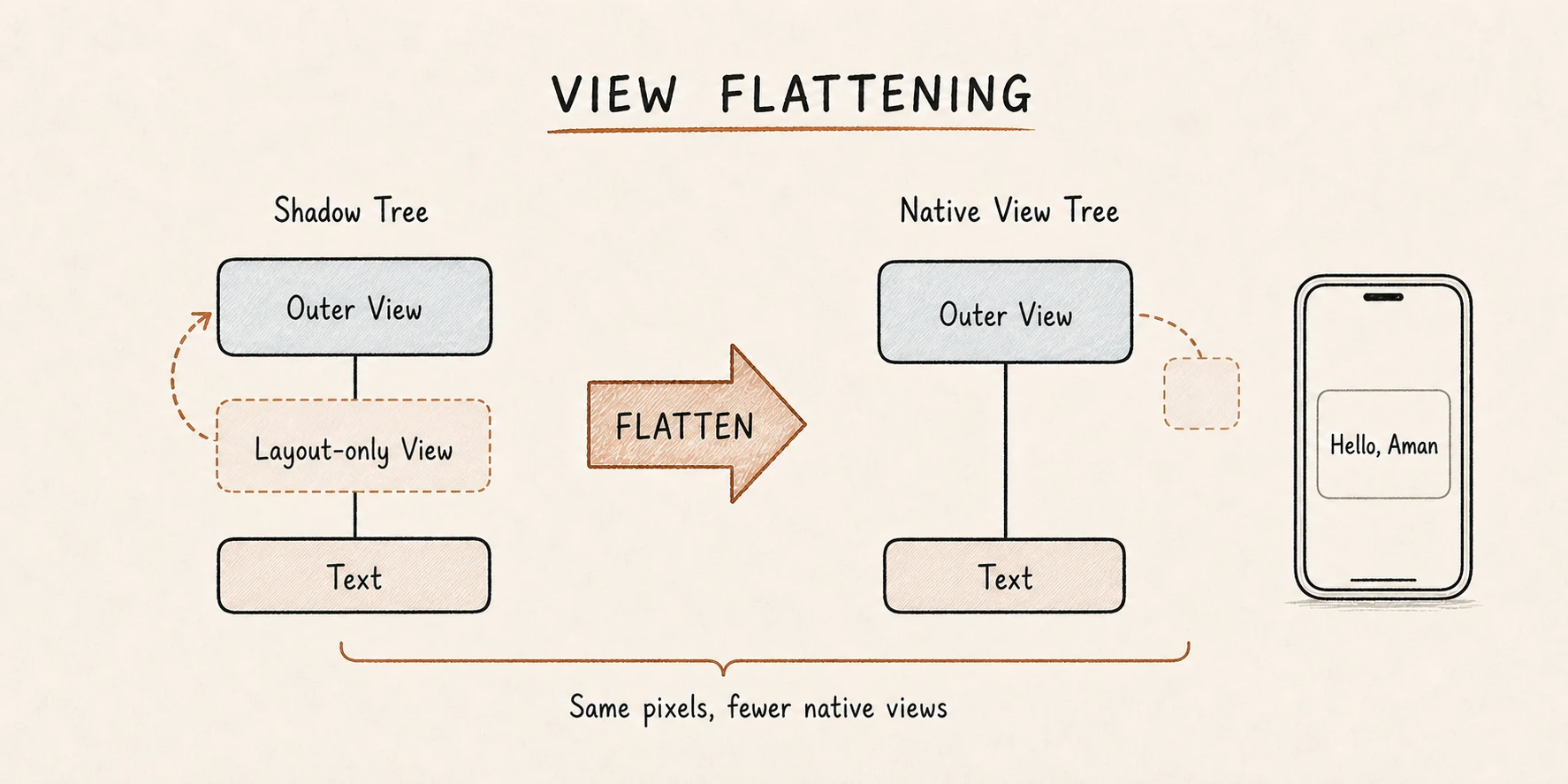 View flattening folds layout-only views into a parent
The differences are intentional. Composite components organize application logic without requiring native views. View flattening reduces the size of the native hierarchy without changing the visible result.
A re-render does not rebuild the native screen
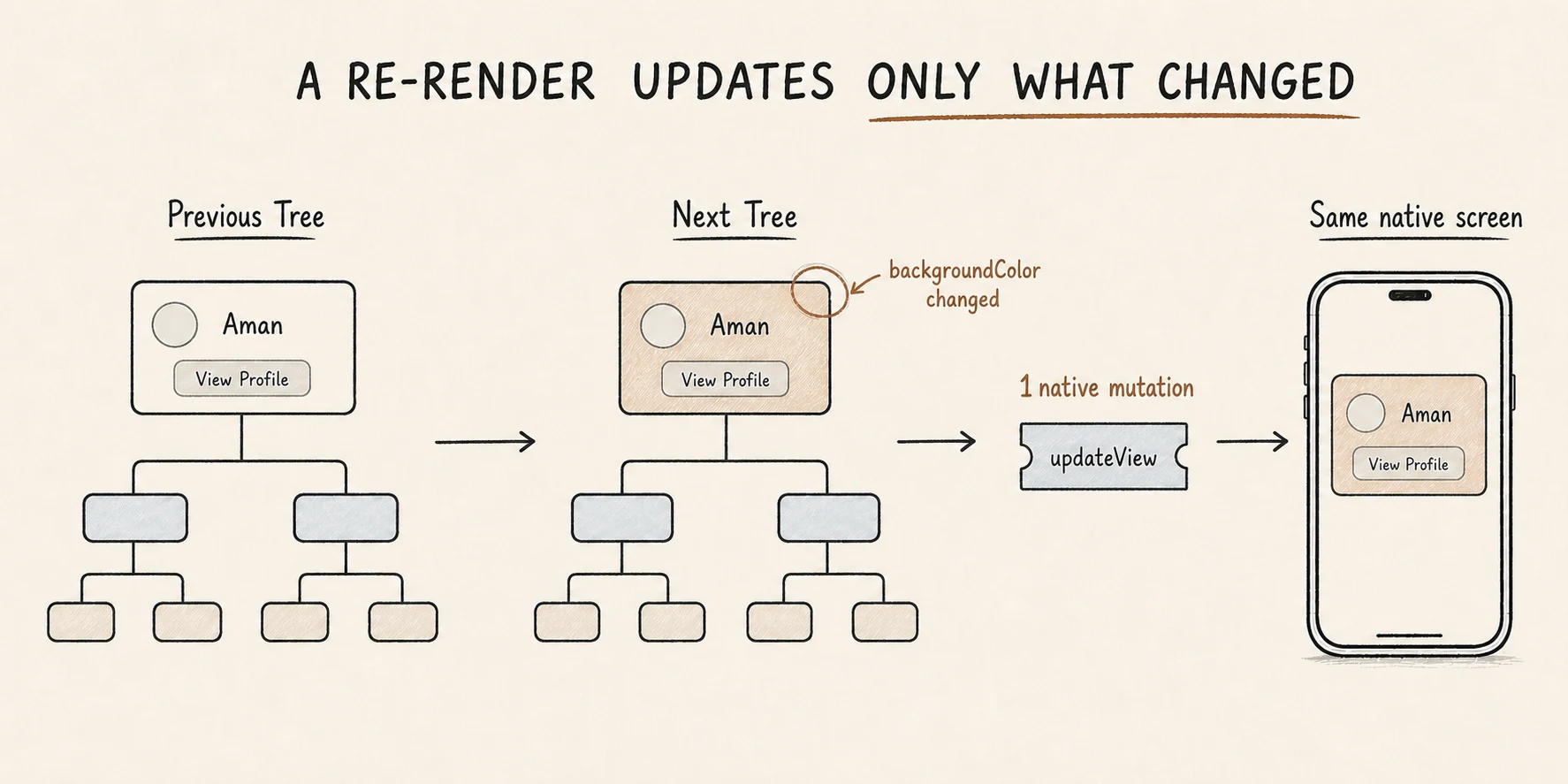 A re-render emits only the mutations for what changed
The same render, commit, and mount phases run when state changes, but React Native does not blindly destroy and recreate every view.
React and Fabric build new immutable versions of the affected parts of their trees. Unchanged branches can be shared between the previous and next versions. Fabric then compares the completed Shadow Trees and produces only the native mutations needed for the update.
If one background color changes, the final work might be one updateView operation rather than a complete screen rebuild. This is why “the component rendered again” and “all native views were recreated” are very different statements.
Is JavaScript converted into native code?
Not in this rendering path.
ProfileCard remains a JavaScript function. React runs it and interprets the element descriptions it returns. Fabric converts the host-only result into layout data and native view operations. The platform then applies those operations to real native UI objects.
The result is native UI, but the component was not translated into Swift, Objective-C, Kotlin, or Java.
This also explains why the old sentence “React Native sends JSON across the Bridge for every view” is no longer a reliable model for the New Architecture. Fabric uses a shared C++ renderer and JSI-based integration. The boundaries still matter, but the mechanism is different.
The 30-second mental model
When someone asks how React Native turns a component into native UI, explain it in this order:
- A JavaScript component runs and returns React element descriptions.
- React reduces custom composite components until it reaches host components such as
ViewandText. - Fabric represents those host components as immutable C++ Shadow Nodes.
- Yoga calculates layout, and Fabric compares the completed tree with the previous one.
- The UI thread applies the resulting mutations to real platform views, which become pixels.
The shortest accurate summary is:
JavaScript describes the desired UI. Fabric turns that description into a layout and a set of native mutations. The platform applies those mutations to real views.
Once those boundaries are clear, terms such as Fiber, Shadow Node, Yoga, JSI, and mounting stop feeling like unrelated internals. They are simply different parts of one path from component to pixels.